Overview
Role: Creator, Product Designer & Developer Timeline: 2024 - Present Technology: React, Ink, TypeScript, Proxmox API Status: Open Source, Active Development (v2.1.1)
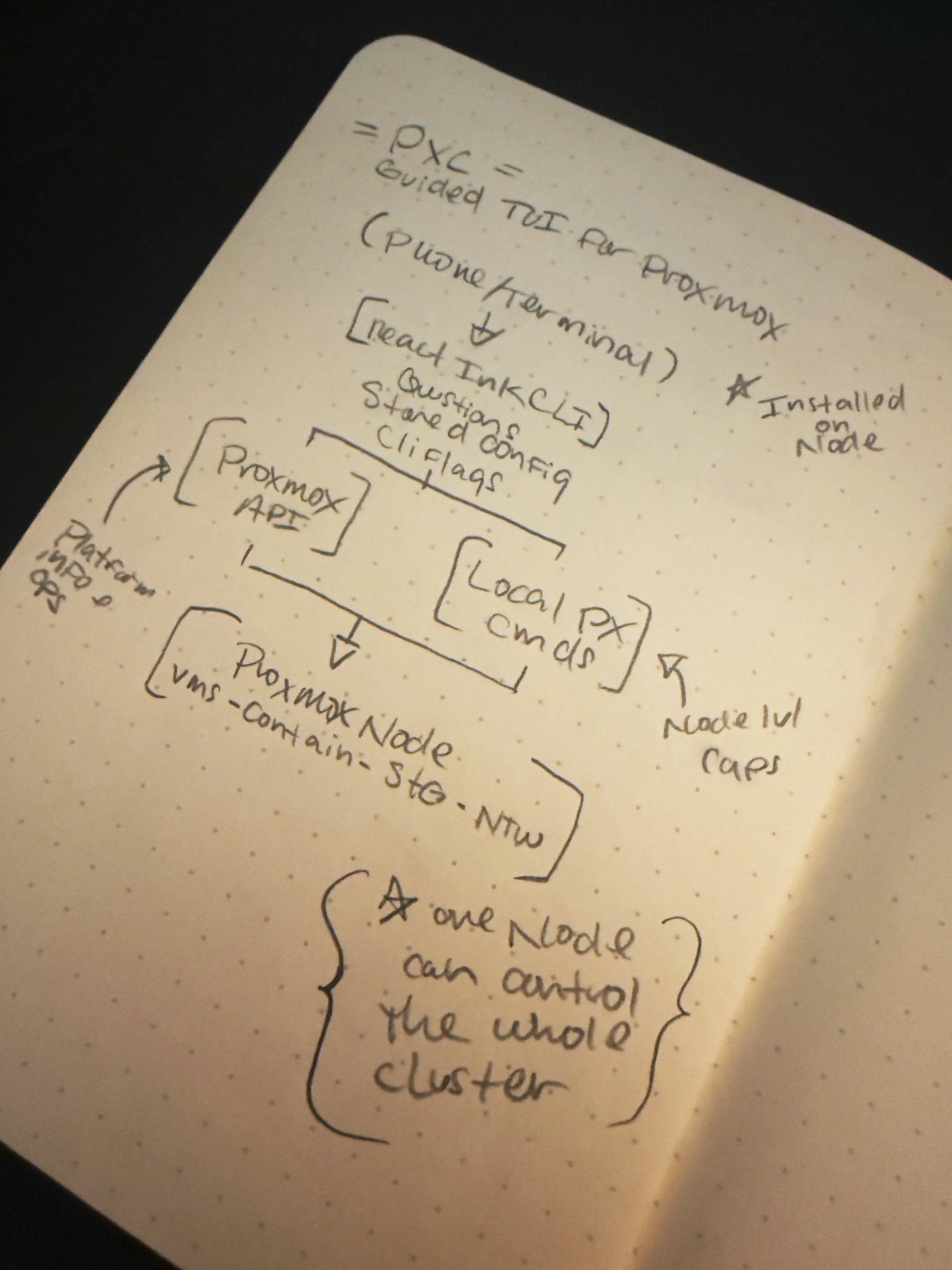
The Challenge: Infrastructure management tools prioritize power over usability, leaving operators struggling with arcane commands and desktop-only interfaces. How do you make complex VM orchestration accessible from anywhere—including a phone at Disneyland?
The Solution: A modern CLI that applies web UX principles to terminal interfaces, making Proxmox infrastructure management fast, safe, and genuinely pleasant to use.
Infrastructure management that's actually readable
The Problem: When Infrastructure Can't Wait
Picture this: You're at Disneyland with your family. A monitoring VM goes down. You pull out your phone, navigate to the Proxmox web UI, and... spend five minutes fat-fingering your way through a microscopic desktop interface trying to tap the right buttons.
Or you're at dinner. You need to start a test suite, but the VM is stopped. Same frustrating experience—squinting at tiny buttons, accidentally tapping the wrong options, eventually giving up and shoving your phone back in your pocket.
This was my reality. As someone who manages Proxmox infrastructure daily—from production servers to self-hosted services to Minecraft servers for my son—I needed infrastructure management that worked wherever I was, not just when I was at my desk.
Why Existing Solutions Failed
The Proxmox Web UI: Desktop-optimized, unusable on mobile. What should be a 10-second status check becomes a frustrating exercise in precision tapping.
Direct API Calls: Technically possible via terminal (I already had Blink Shell on my phone), but ironically slower than the janky web UI. Too many commands to remember, too much syntax to type correctly on a phone keyboard.
Traditional CLI Tools (qm, pct, pvesh): Powerful but arcane. Every operation requires memorizing flags, parameters, and command structure. Perfect for scripting, terrible for quick operational tasks.
The mobile experience problem: desktop UI vs. terminal clarity
The Core Insight
The problem wasn't access to functionality—the Proxmox API exposed everything needed. The problem was interface design. What was needed wasn't just a CLI, but a thoughtfully designed experience that made common operations fast and intuitive from a terminal.
Design Philosophy: Cognitive Load Over Keystroke Count
Inspiration: The Vercel Model
Vercel's CLI doesn't make you remember arcane flags. It guides you through decisions conversationally. It's fast, clear, and feels natural even when you're typing on a phone screen.
That's the experience I wanted for infrastructure management.
Core Principles
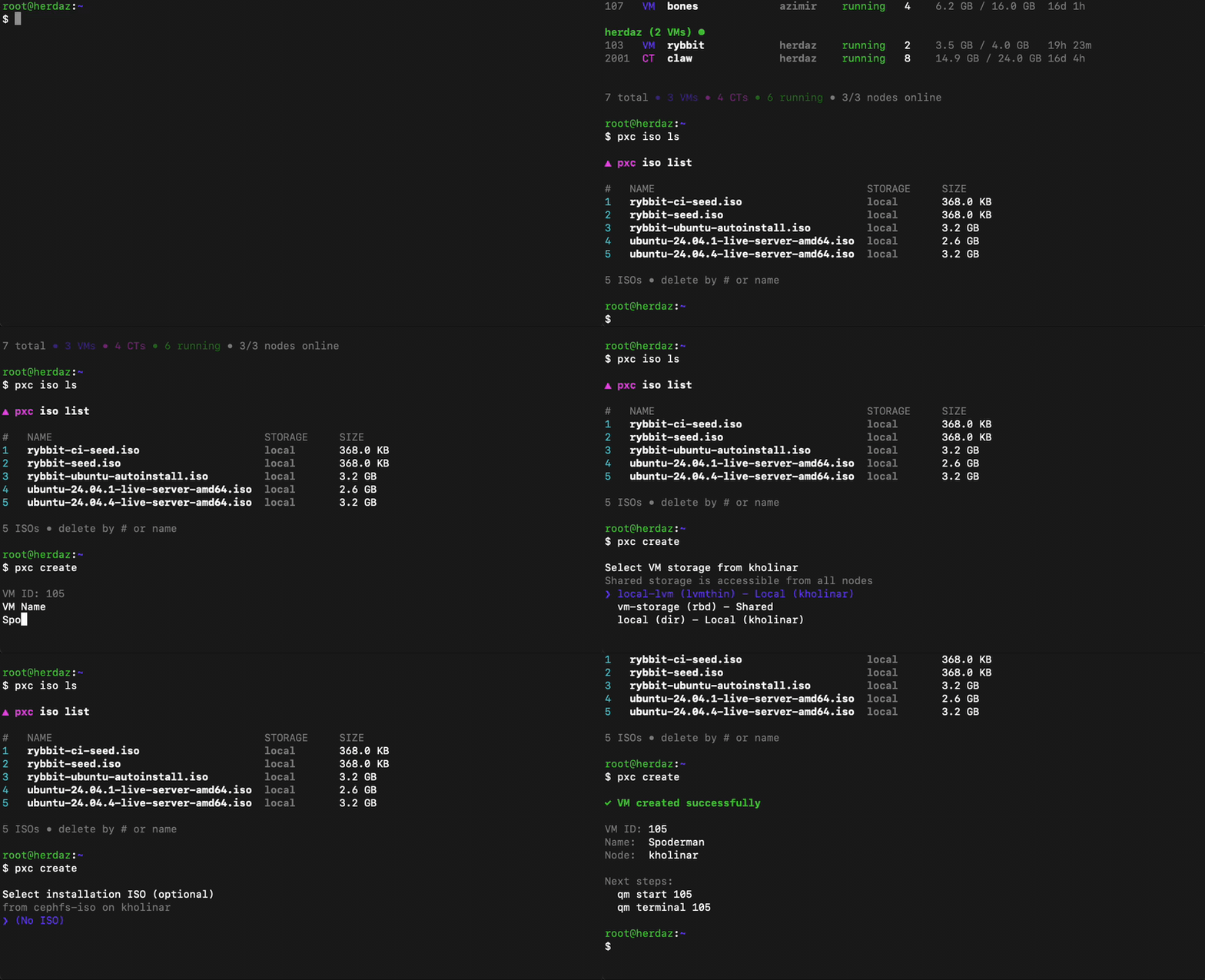
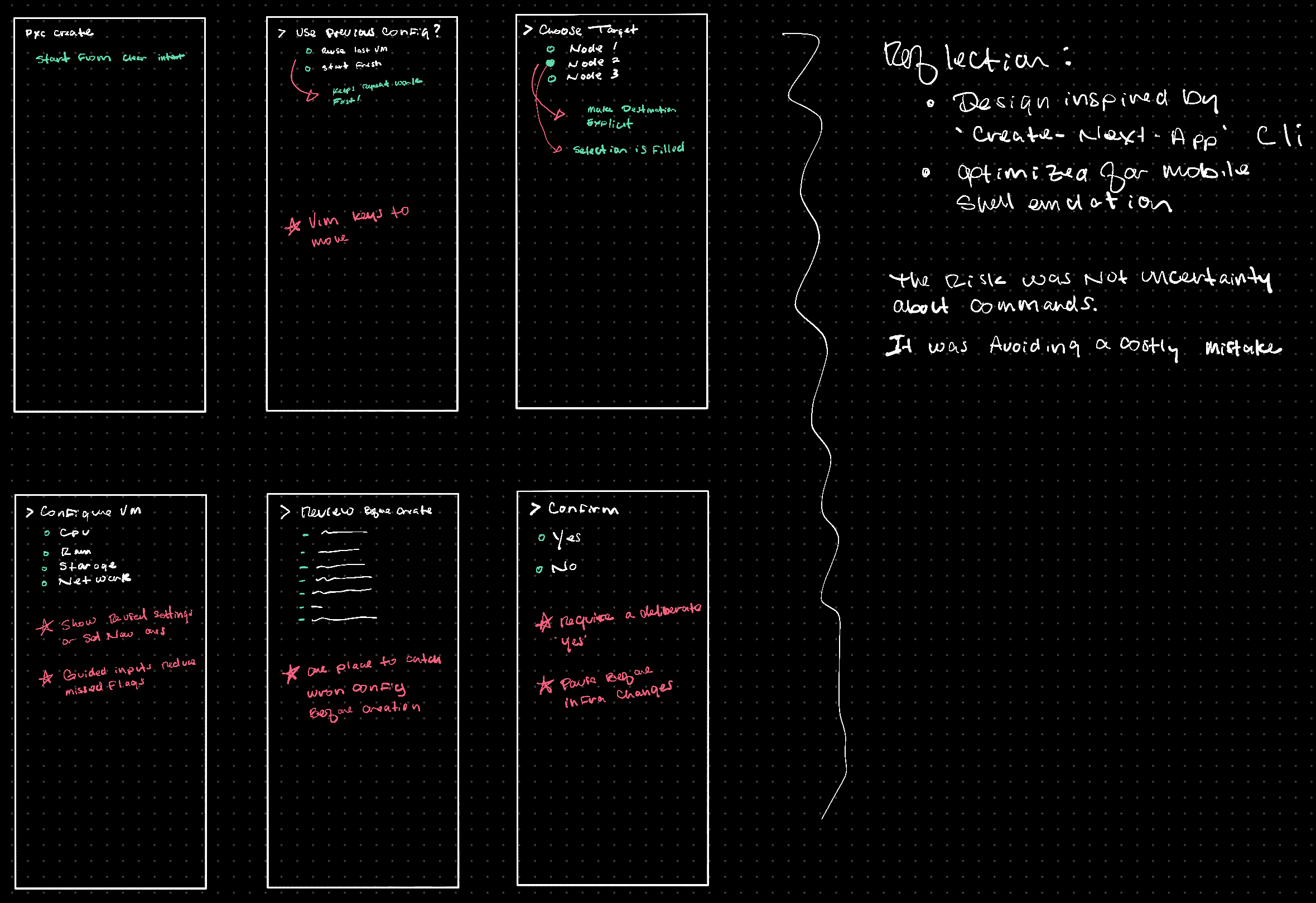
1. Don't Make Me Think Users shouldn't need to memorize flags or syntax. While power users can use flags if memorized, the default path is a guided wizard that asks clear questions and shows only relevant options.
2. Progressive Disclosure Keep the screen clean. Show only what's needed at each step. Complex infrastructure operations become a series of simple decisions rather than overwhelming configuration dumps.
3. Safety by Default Destructive operations should require conscious thought, not just correct syntax. Accidents happen when people are tired—design should protect against fatigue-induced mistakes.
4. Power Through Comprehensiveness For advanced users, power comes from scope not complexity. Support clusters, comprehensive resource management, and sophisticated operations while maintaining the simple interface.
Guided wizards replace memorized flags
Key Design Decisions
1. VM Deletion: A Case Study in Safety-First Design
"We've all accidentally deleted the wrong VM at 4am"
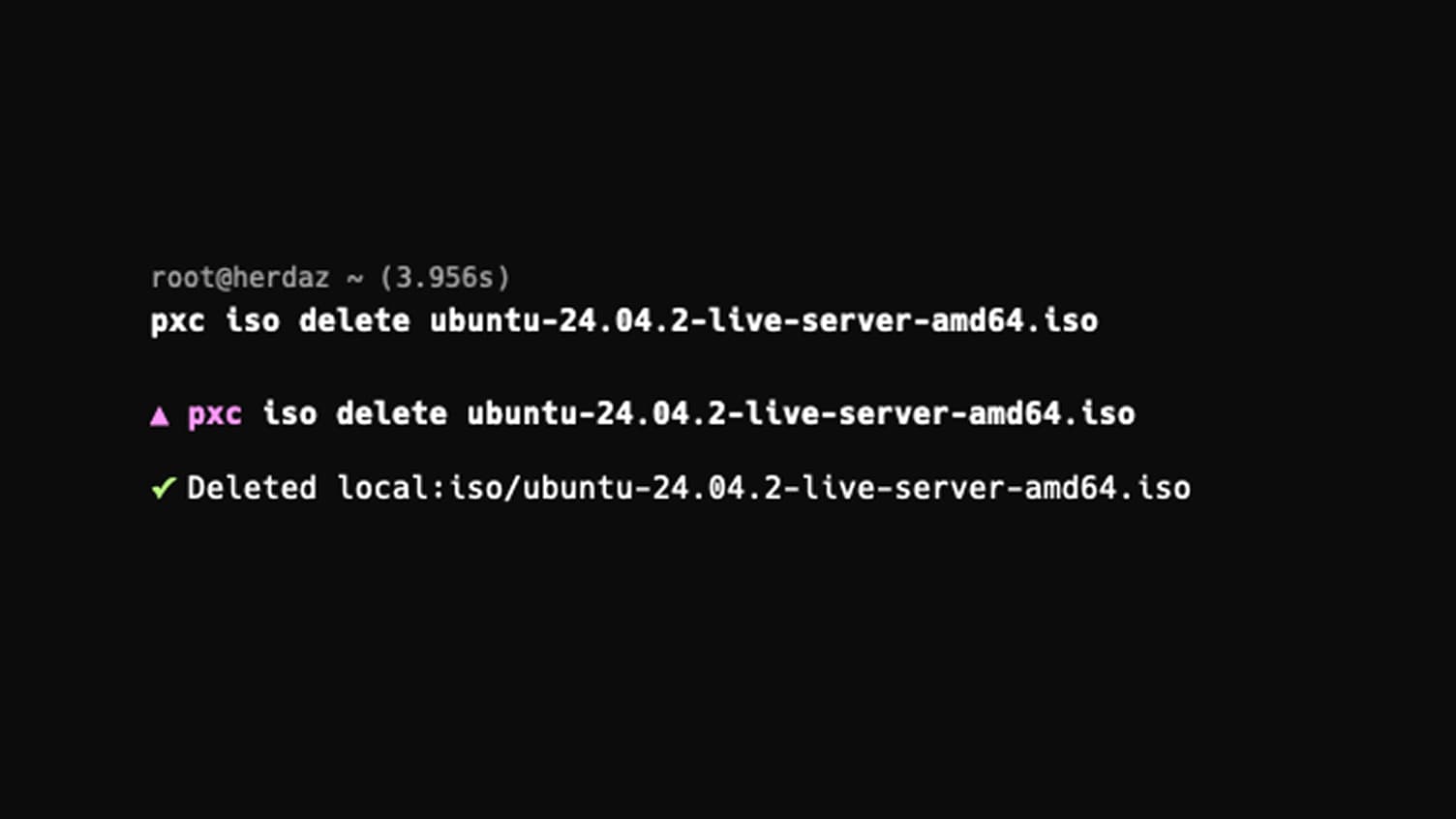
The Personal Catalyst: I once accidentally deleted the wrong VM. It ran dozens of Docker services—Plex, Jellyfin, Uptime Kuma, n8n, Postgres, Redis, multiple WordPress test installs. Spending hours reinstalling everything was awful. This experience informed a deliberate, multi-layered safety approach.
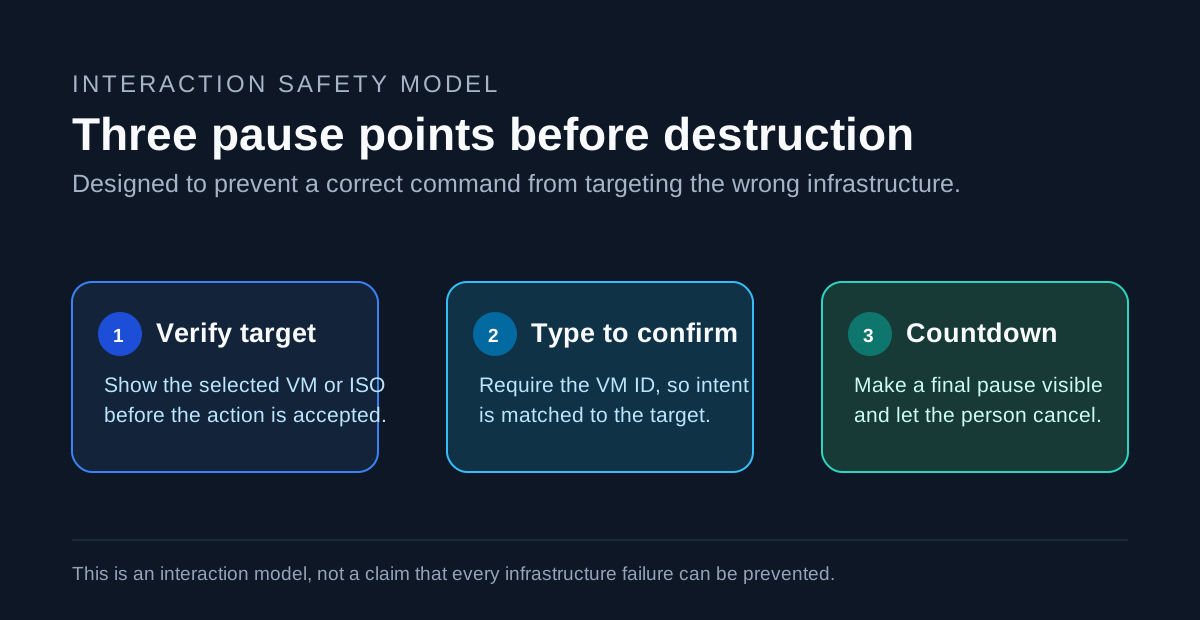
Three layers of safety protect against 4am mistakes
Three Lines of Defense:
Layer 1: Visual Confirmation Display complete VM details before any action. Force the user to see what they're about to delete—name, ID, resources, current state.
Layer 2: Cognitive Engagement Require typing both the VMID and the word "delete". This forces conscious reading and acknowledgment—you can't autopilot through deletion. The typing requirement ensures you're reading what you're confirming.
Layer 3: Temporal Buffer A 10-second countdown as a final safeguard. This protects the 4am operator making tired decisions. Long enough to catch immediate regret, short enough not to become annoying (tested at 15 seconds—too long).
Design Intentionality: All three layers were designed upfront, not added iteratively. Each addresses a different failure mode:
- Visual: "Am I looking at the right VM?"
- Typing: "Am I consciously choosing this action?"
- Countdown: "Do I have immediate regret?"
Acknowledging Trade-offs: For bulk operations (cleaning up test environments), this safety becomes friction. This is recognized and planned for future releases, balancing safety-by-default with power-user efficiency.
2. Cluster Support: Scaling Information Architecture
From Personal Need: My infrastructure runs on a 3-node Proxmox cluster (kholinar, azimir, herdaz). The initial single-node view was immediately limiting—I needed visibility across all nodes, not just one.
The UX Challenge: How do you show resources across multiple nodes without overwhelming the user? The information hierarchy needed to communicate:
- Overall cluster health at a glance
- Which nodes are online/offline
- Where each VM/container lives
- Resource status and state
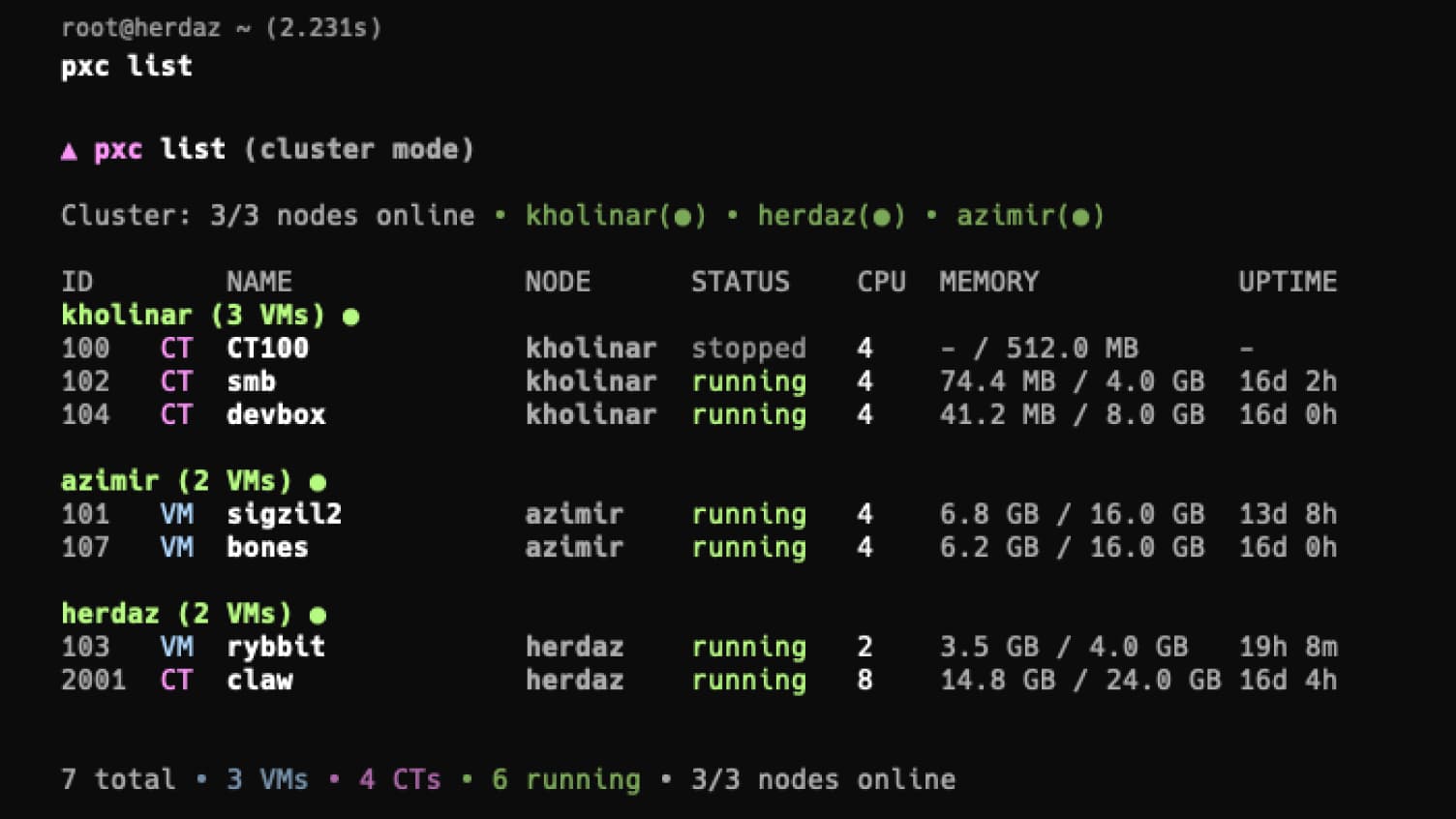
Status-First Information Hierarchy:
Cluster: 3/3 nodes online • kholinar(●) • azimir(●) • herdaz(●)
Status is always first. Filled circles (●) indicate online nodes, hollow circles (○) show offline. At a glance, you know cluster health before seeing any resources.
At-a-glance cluster health before diving into resources
Resources are then grouped by node, making it immediately clear where each VM/container lives. The mental model matches the infrastructure: nodes contain resources.
Smart Defaults: The system auto-detects cluster vs single-node configurations, adapting the display without user configuration. This maintains simplicity—the tool just works regardless of infrastructure scale.
Acceptable Trade-offs: Querying multiple nodes introduced some latency, but comprehensive visibility was more valuable than marginal speed gains. The experience remains snappy enough for real-world use.
3. Wizard-Based Interaction Model
The Problem with Flags: Traditional CLIs require memorizing syntax:
qm create 100 --memory 2048 --cores 2 --net0 virtio,bridge=vmbr0 --ide2 local:iso/debian.iso
This is powerful for scripting but terrible for human interaction, especially on mobile.
The Wizard Approach: PXC guides you through decisions step-by-step:
- What's the VM ID?
- How much memory?
- How many cores?
- Which network bridge?
- Which ISO?
Each question appears when relevant, with sensible defaults. The cognitive load is distributed across simple choices rather than concentrated in remembering complex syntax.
Progressive Enhancement: Power users who know what they want can still use flags. But the default path optimizes for clarity over brevity.
Technical Execution
Technology Choices
React + Ink: As a React developer, leveraging existing expertise enabled rapid development. Ink brings React's component model to terminal interfaces, enabling compositional UI patterns that work well for complex interactions.
TypeScript with Strict Mode: Comprehensive typing catches errors early and makes the codebase maintainable. For a CLI tool where errors could lead to infrastructure problems, type safety isn't optional.
Proxmox API Integration: Direct API integration provides access to all Proxmox functionality while maintaining clean abstraction layers between API calls and UI components.
Architecture Principles
Component-Based UI: Terminal interfaces are built from reusable React components—confirmation dialogs, status displays, resource lists. This maintains consistency across features and accelerates development of new capabilities.
Mock Mode for Testing: A comprehensive mock mode enables development and testing without requiring live Proxmox infrastructure. This accelerated iteration cycles and made the tool accessible for contributors without existing setups.
Graceful Error Handling: API failures, network issues, and edge cases are handled with clear, actionable error messages. Users shouldn't see stack traces—they should know what went wrong and how to fix it.
Feature Evolution
Phase 1: Core Operations
- VM status checking
- Cluster node health monitoring
- Basic start/stop operations
Phase 2: VM Lifecycle Management
- Full VM creation wizard
- Comprehensive deletion with safety measures
- Resource modification (memory, CPU, disk)
Phase 3: Cluster & Advanced Operations
- Multi-node resource visibility
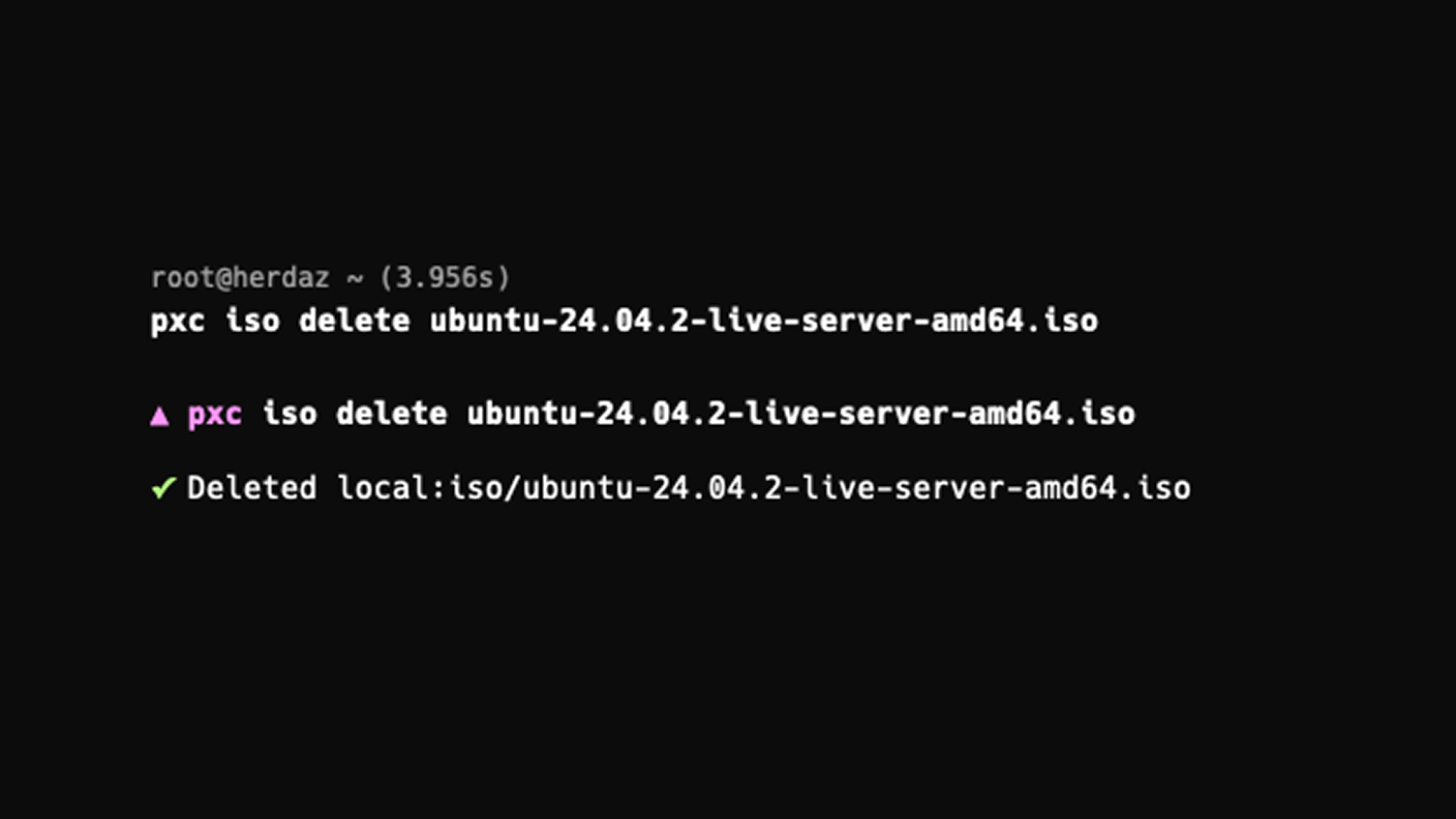
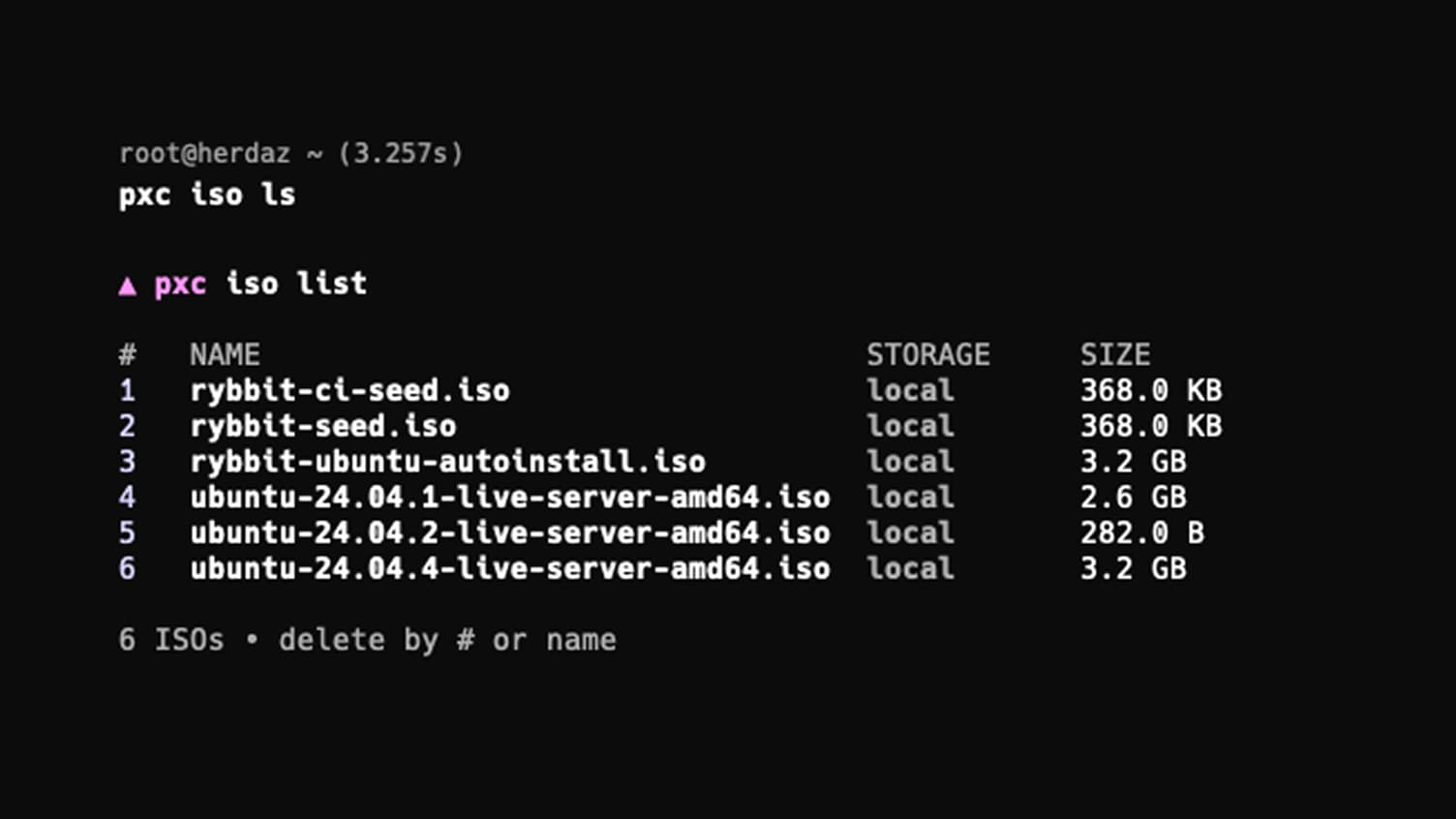
- ISO management
- Container support alongside VMs
- Configuration management
Current State (v2.1.1)
A comprehensive infrastructure management tool supporting:
- Complete VM/container lifecycle operations
- Cluster and single-node deployments
- ISO image management
- Resource monitoring and status checks
- Safe destructive operations with multi-layer confirmations
Impact & Reflection
UX is Universal
"Understanding people matters more than understanding platforms"
This was my first CLI tool, but it reinforced something fundamental: UX isn't just about web interfaces. It's about how people use things in the world—whether that's CLI tools, credit card terminals (why is the accept button never in the same spot?), or car infotainment systems.
My skills in product design, web strategy, and conversion optimization aren't domain-specific—they extend to anything that serves users. The same principles that make a web form intuitive apply to CLI wizards. The same safety considerations for destructive actions apply whether it's deleting a database record or a VM.
From Personal Tool to Open Source Product
PXC started as scratching my own itch—managing VMs from my phone at Disneyland. But building it required thinking beyond personal convenience:
- Safety measures that protect tired operators at 4am
- Information architecture that scales from one node to large clusters
- Interaction patterns that balance speed with clarity
- Documentation and error handling that makes the tool accessible to others
This is product thinking: solving your own problem in a way that solves it for everyone facing similar challenges.
What's Next
Planned Features (v2.2+):
- Batch operations for power users
- Enhanced filtering and search
- Resource templates for common VM configurations
- Improved performance monitoring
Exploring New Approaches: The CLI landscape is evolving. Tools like OpenTUI represent newer approaches that may offer advantages. Staying aware of these developments while focusing on delivering value now reflects a balanced approach to technical decision-making.
Key Takeaways
1. Good UX transcends medium. The principles of user-centered design apply equally to web apps, mobile interfaces, and terminal tools. Understanding user context and cognitive load matters more than understanding specific technologies.
2. Safety requires intentional design. Protecting users from mistakes—especially when tired or distracted—requires multi-layered approaches and conscious consideration of failure modes.
3. Personal pain points make the best products. Building tools you use daily ensures you understand the problem deeply and can iterate based on real usage, not assumptions.
4. Simplicity and power aren't opposites. Comprehensive functionality delivered through clear, guided interactions serves both novices and experts better than arcane commands that require memorization.
5. Product thinking elevates technical execution. Anyone can call an API. Thoughtful product design considers context, safety, mental models, and long-term maintainability—transforming functional code into genuinely useful tools.
Links & Resources
- GitHub Repository: github.com/as3k/pve-cli
- NPM Package: npmjs.com/package/pxc
- Documentation: Coming soon
Want to discuss product design for developer tools? Let's connect